
Builds Maps Planner Community Features Pricing Support
Getting your plans ready…
Village Planner

Plan your own village

Loading…

How it works

Pick your plot size

Start with a hamlet, a village, a town or a city. The grid is drawn at real block scale, so the space you choose is the space you will actually be building in.

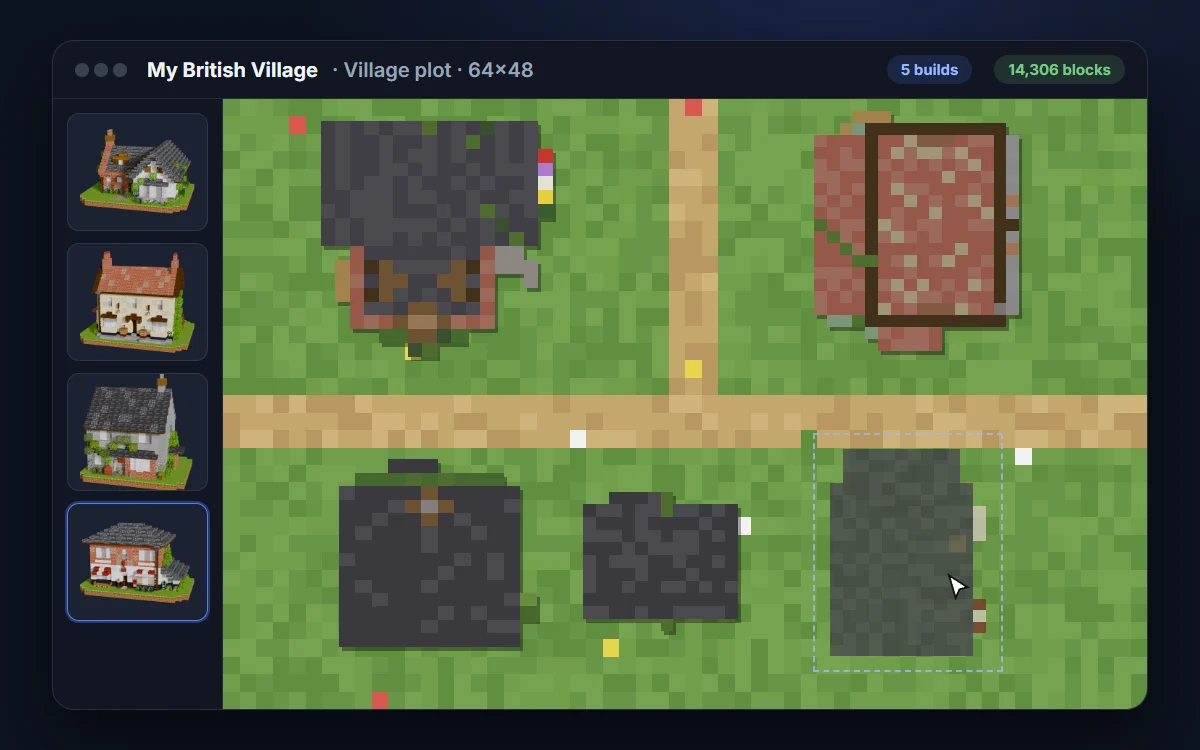
Drag your builds on

Pull any build out of the library and drop it where you want it. Move, rotate and snap them together, and anything that overlaps is flagged as you go.

Join it up with paths

Paint paths, roads and courtyards straight onto the plot to connect everything. Whatever you lay down gets counted in your totals.

Walk it in 3DVIP

See the whole village standing before you have placed a single block, with a free camera to fly through it and every build outlined where it sits.

Get one material list

Every block for the entire village, added up in one place, with the raw materials worked out so you know exactly what to go and gather.

Take it into your worldUltimate

Export the finished layout as a single schematic and paste the whole village in at once, rather than placing each build yourself.

What you get

Free
  • Lay out a hamlet plot
  • Place up to 3 builds
  • Every free build in the library
  • Paths, roads and courtyards
  • Full combined material list
  • Save your plan as an image
  • 1 saved plan
VIP
  • Everything in Free
  • Village plots, up to 5 builds
  • Raw materials worked out for you
  • Walk your village in 3D
  • 3 saved plans
Ultimate
  • Everything in VIP
  • Town and city plots, as many builds as fit
  • Schematic export of the whole village
  • Unlimited saved plans

Ready to plan your village?

Village Planner Beta

Plan your own village

Drag your builds onto a grid, arrange and rotate them into a layout, and get the combined material list for the entire village at once. Save your village and pick up where you left off.

  • Drag builds onto the grid
  • Combined material totals
  • Save and come back to it

Your plans

See what the community is planning

Village layouts shared by other members. Open one as your own copy and make it yours.

GorilloBuildGorilloBuild


Drag onto the board, or tap to drop one in the middle.Tap a build to drop it into your village, then drag it where you want it.

Your village starts here. Drag builds from the left onto the grid, then move, rotate and arrange them into a layout.

Your village starts here. Tap Add build below to drop your first one in, then drag it around. Pinch to zoom.

Width
Start from Tidy up what is placed
Custom palette 0/5
Width
0
Builds placed
0
Footprint (blocks)
Using 0 × 0 of the plot
GorilloBuildGorilloBuild
Building your village…