Builds Maps Planner New & Popular Community Features Pricing Support
Help center
The GorilloBuild mod for Java Edition

Build it in game

All 260+ GorilloBuild guides, right in your own Minecraft world.
Pick it, place it, follow the ghosts.

G pick a build
Enter place it
←→ follow the steps

Free · Fabric · Minecraft 1.21.1 to 26.3
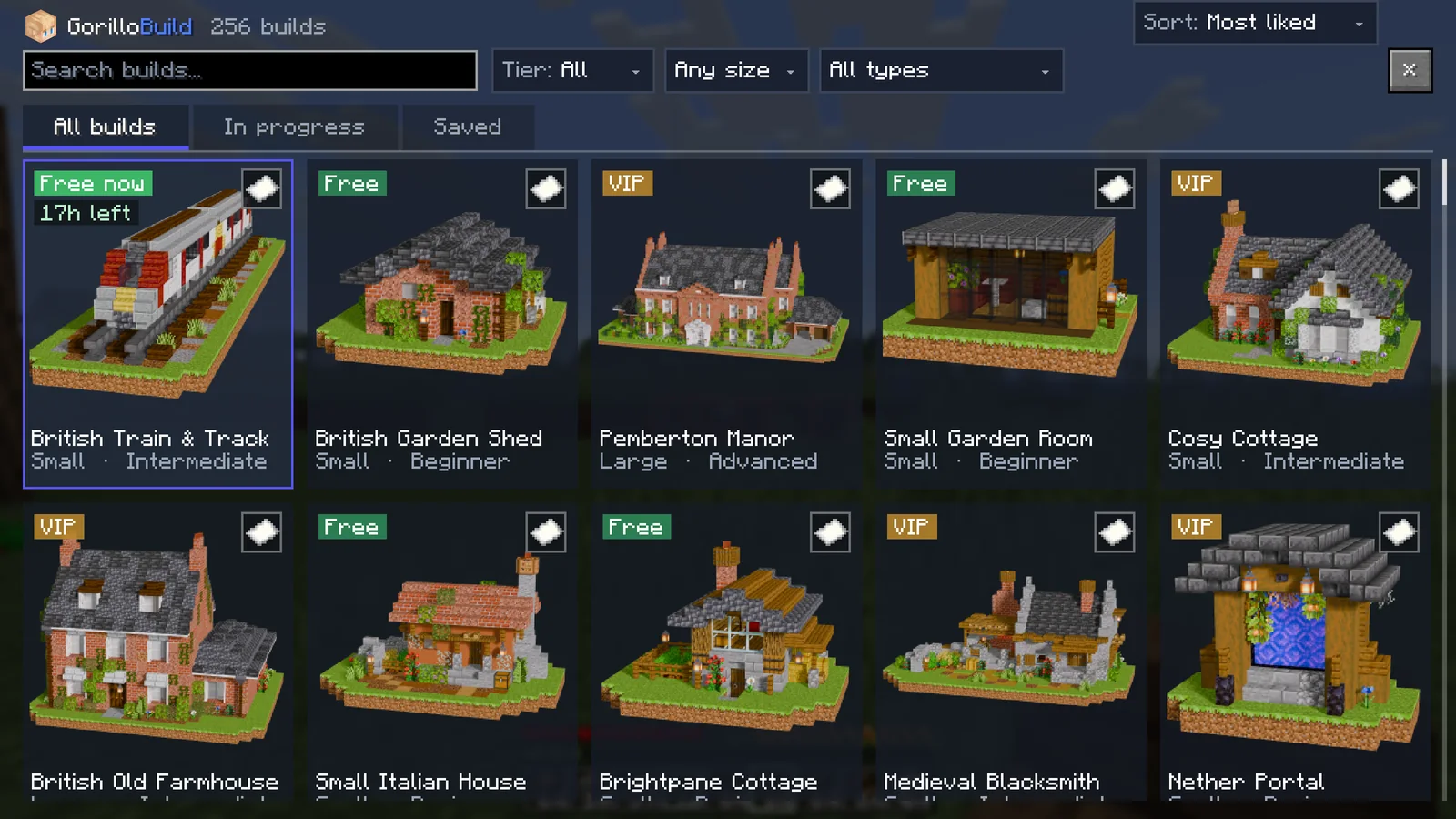
The in-game build browser: free and VIP builds with search, filters and sorting
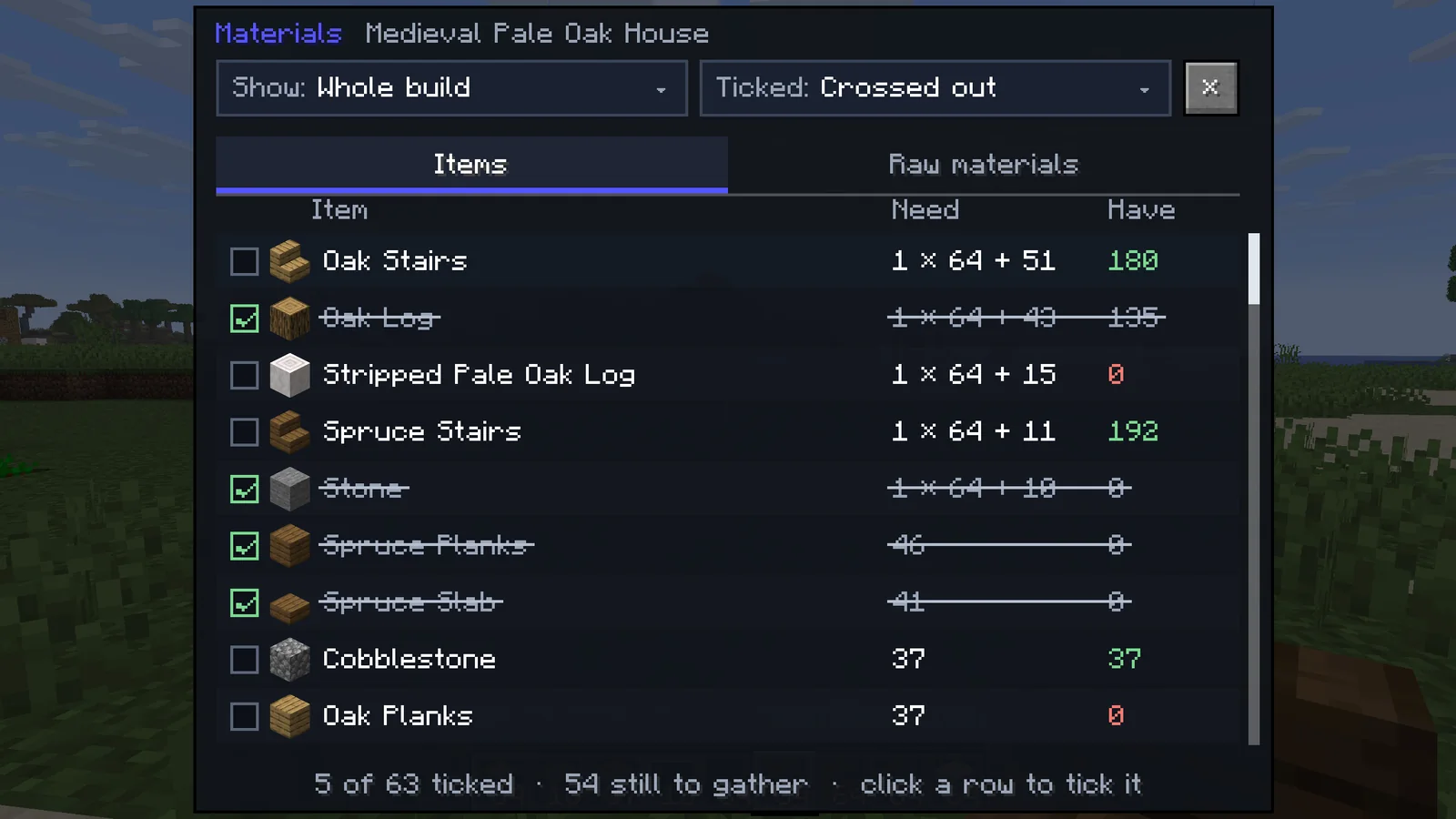
The material list: what the build needs, what you have, and ticked-off items crossed out
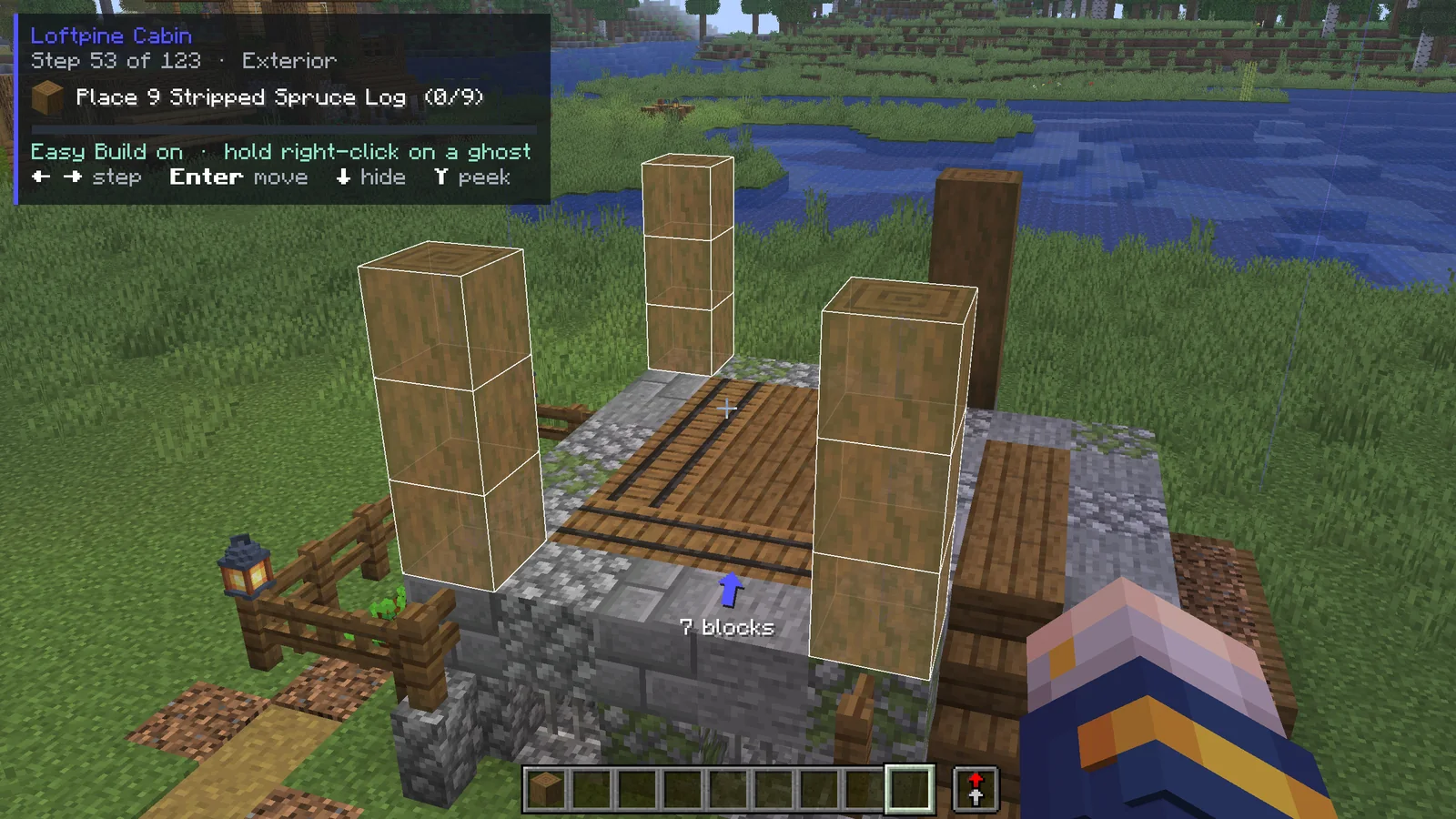
Building a cabin in survival: see-through ghost logs show where the next blocks go, with the step card in the corner

Everything a survival builder needs

The same building order as the 3D guide on the website. Click through: every picture is the real mod.

See-through ghost logs show where the next blocks go
Loftpine Cabin, step 53 of 123
Paste it in creative (VIP) Steps or layers Treehouses & hillsides Saves your place Photo mode

Get started

A few minutes the first time.

Step 1

Install Fabric

Pick your Minecraft version in the Fabric installer, or make a Fabric profile in your launcher.

Get Fabric
Step 2

Add Fabric API

Download it for the same version and drop it in your mods folder.

Get Fabric API
Step 3

Add the GorilloBuild mod

Download the mod for your version and put it in the same mods folder.

Download the mod
Step 4

Play

Start the Fabric profile, join any world and press G. One demo build works straight away.

Download the GorilloBuild mod

Version 0.1.3 for Java Edition (Fabric). Pick your Minecraft version.

Not sure which you have? It's shown at the bottom left of the Minecraft title screen. You also need Fabric API for the same version.

Prefer your launcher? Also on CurseForge

What's new

0.1.3Latest10 November 2026
  • Fixes a crash when opening the build browser.
  • Fixes and improvements.
0.1.26 November 2026
  • Ghost blocks look right over water.
  • Every finished build ends with a look round it.
  • Fixes and improvements.
0.1.121 October 2026
  • The guide can't crash your game any more.
  • The mod tells you when an update is out.
  • Fixes and improvements.
0.1.010 October 2026
  • First release: GorilloBuild guides in your own Minecraft world.
Then link your accountGet a code on your Account page (Minecraft mod tab), then paste it in the mod's Settings (F9), Account tab. You get every build your plan includes; a free account covers the free builds.
Get a link code

What your plan includes

The mod is free. It gives you the same builds as the 3D guide on the website.

Free Account

  • Every free build
  • The VIP build that's free for everyone every 3 days
  • Co-op: host any free build, or join a friend's
  • Easy Build and the material list

Co-op is free. On a VIP build, a VIP host's friends only need a free account while they're in the session. See the plans

Questions

All the keys
GBrowse builds
EnterPlace, start, or move the build
↑Turn the build
←→Change step (mirror while placing)
↓Hide or show the guide
YHold to peek at the next step
NEasy Build on or off
IMaterial list
F8Photo mode
F9Settings
BackspacePut away a build you haven't placed, put a moved build back, or (pressed twice) stop following a build
JUPaste the build / undo
KFill this step (creative)
Change any of them in Options, Controls, under GorilloBuild.
Is the mod free?
Yes. The mod is free to download and use. With a free GorilloBuild account you get every free build, the VIP build that's free for everyone every 3 days, and co-op on free builds. VIP or Ultimate unlocks every build in the library, hosting co-op on any of them, and pasting a whole build in creative. See the plans.
Does it work on servers?
Yes. It runs on your own computer, so the server doesn't need it, or any mods at all. Only pasting a whole build needs creative mode with cheats on, or operator rights.
How do I build with friends?
Everyone needs the mod and a linked account (a free one is fine). The host opens the pause menu, the GorilloBuild button, then Co-op, and starts a session on the build they are following. Give up to 3 friends the code: they type it in their own Co-op screen and press Join. A free account can host any free build; a VIP host can host every build, and their friends still only need a free account. Only people with the code can join.
Does it work with Bedrock, Forge or NeoForge?
Not at the moment: it's for Java Edition with Fabric. On Bedrock, each build's add-on can paste it into your world (with VIP), and every build has its 3D guide on the website.
Easy Build isn't placing anything
It only places a block you are carrying, and only where a real block could go. Some servers' anti-cheat doesn't like it, so if blocks pop back, turn it off with N and place them by hand.
It says to link my account
Apart from one demo build, the mod needs your GorilloBuild account linked, even for free builds (a free account is fine). If you are linked and a build still says it needs VIP, it's not in your plan.
What does the mod send to GorilloBuild?
Only what it needs: your link code, which builds you open, the builds you save or finish, and photos you choose to share. If the mod ever hits a problem, it puts the guide away instead of crashing your game and sends us an error report (the error, your Minecraft and mod versions and your other mods, nothing about you); you can turn that off in its settings. In co-op, the others in your session see your Minecraft name, the build, where it is placed and which step you are on; none of that is kept. Nothing else on your computer. The full details are in our privacy policy.

Something else? Support or contact us.

Ready to build?

Get the mod, press G, and pick your first build.