2 Player Castle
Every build's full 3D + 2D guide, material list and downloads.
Unlock with VIP - £6.99/moAbout 2 Player Castle
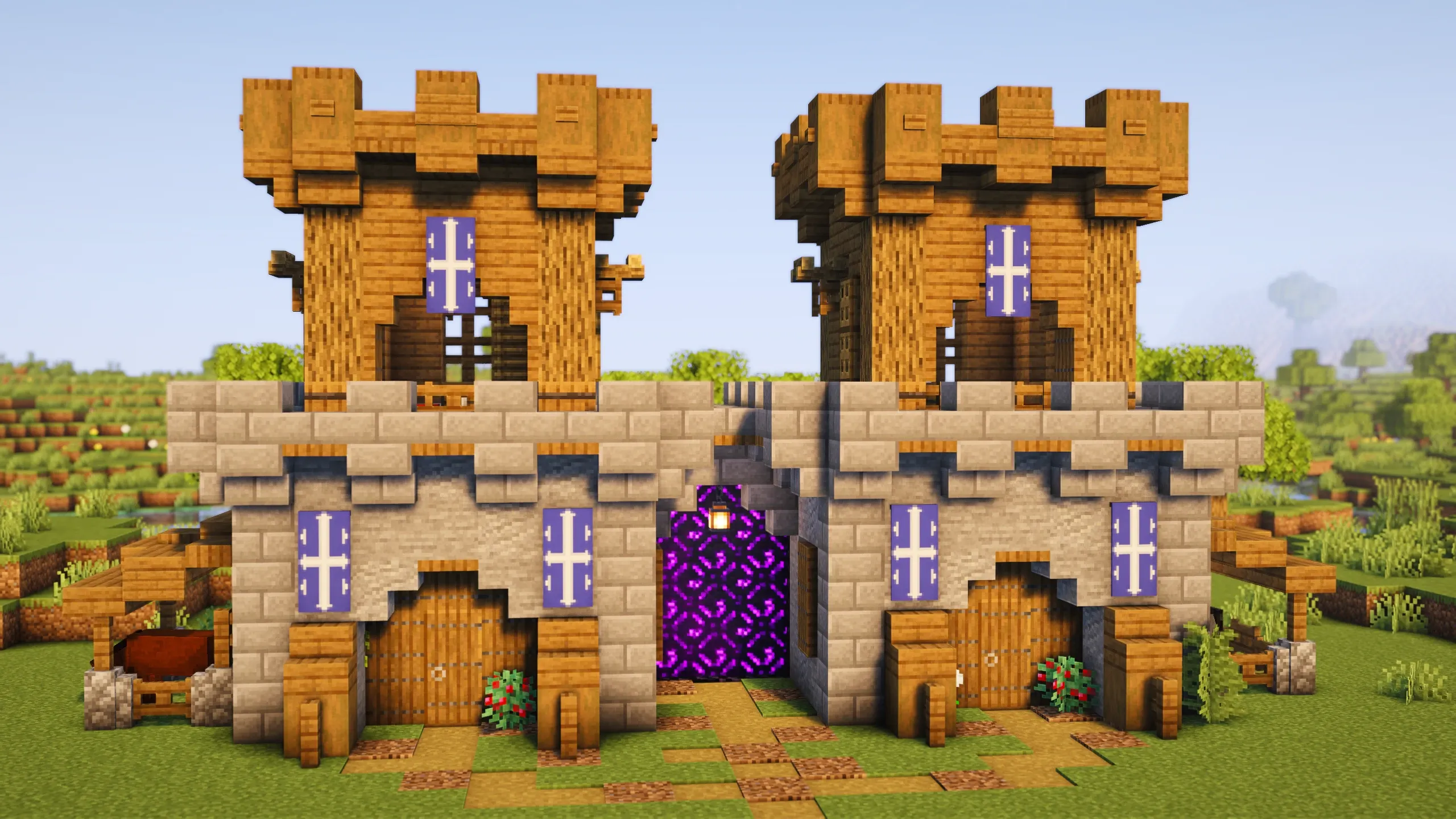
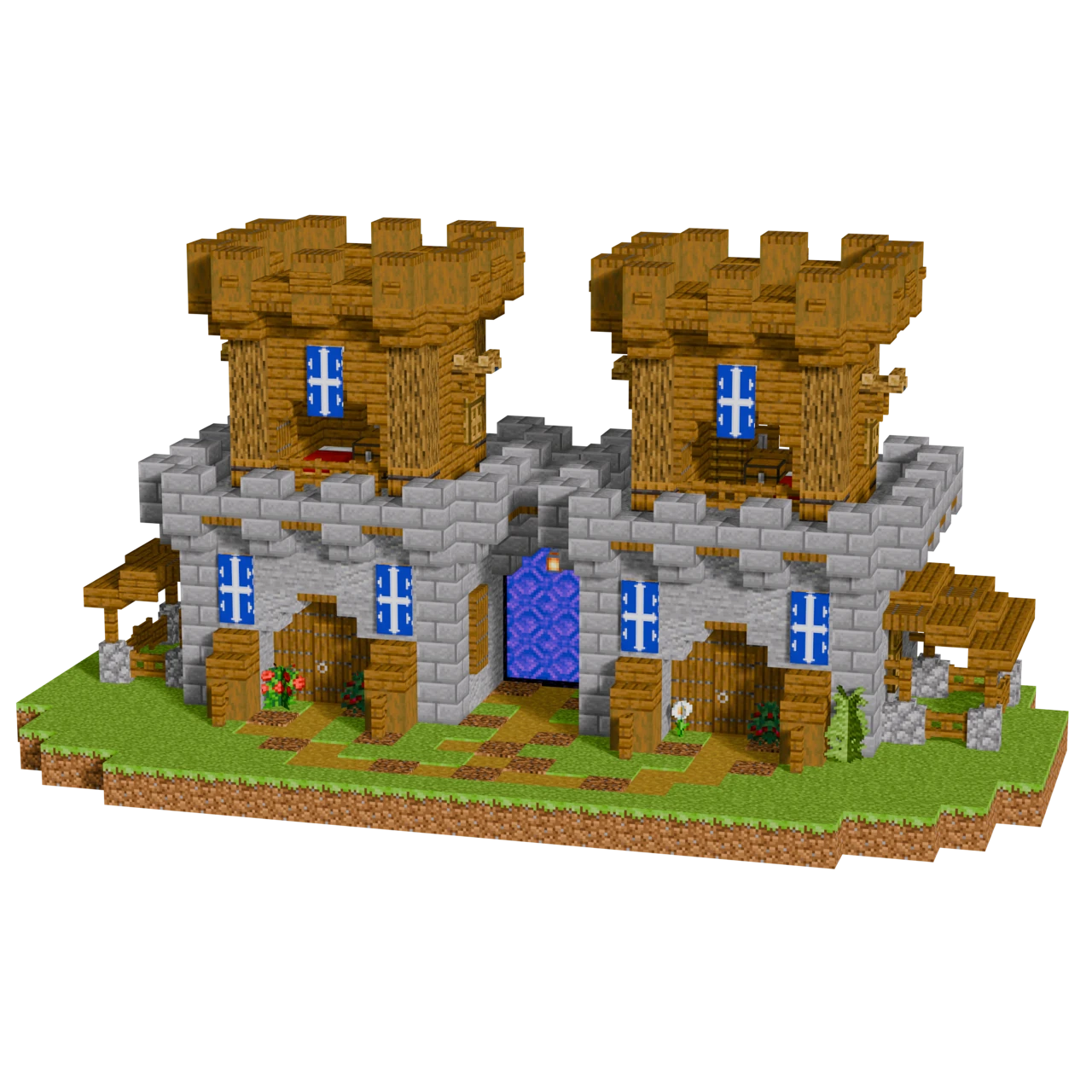
A castle base designed for two players, with matching towers on each side and a nether portal built right into the centre. Each tower has its own entrance and space, so you've both got your own area without needing to build separate bases. The Spruce and oak wood frame keeps the block palette simple, and the custom banners add some identity to the build. Handy for survival worlds where you want quick nether access without an ugly portal stuck on the side of your base. Drop it near spawn on a multiplayer server or use it as a shared starter base with a friend.
2 Player Castle is a medium-sized Minecraft build, 14 by 25 blocks across and 13 blocks tall. It uses 1,293 blocks of 47 different kinds, placed over 335 steps in the 3D guide. The main blocks are 160 spruce planks, 150 stone, 117 spruce trapdoor, 73 andesite and 72 stone bricks. It is rated medium to build and takes about 1h - 1.5h following the guide.
What's included
Step through the build step by step in a full 3D viewer. Rotate, zoom and see exactly where every block goes.
Every block counted and sorted, with checkboxes and progress tracking so you always know what to gather next.
Paste the build straight into your world with WorldEdit, or project it block by block with Litematica.
Walk around the finished build in-game, with world files for both Java and Bedrock (PC and mobile).
Community showcase
Built this in your own world? Share a screenshot. Every upload is checked by us before it appears here. See builds from the whole community
Other starter builds
More builds of the same kind.
Popular this week
What people have been opening in the last seven days.
How to build 2 Player Castle in Minecraft
-
Open the 3D guide
Press the 3D guide button to load 2 Player Castle block by block. Rotate and zoom with the mouse, and switch between building it layer by layer or following the ordered step-by-step route.
-
Gather the materials
The material list counts every block in the build and sorts it, with checkboxes as you collect. Your progress saves, so you can close it and come back.
-
Build it, one step at a time
Each step highlights only the blocks it adds, so you always know exactly where the next block goes. Completed layers stay visible underneath for reference.
-
Or paste it straight in
Prefer not to place it by hand? Download the schematic for WorldEdit or Litematica, or the ready-made world for Java or Bedrock and walk around the finished build.
Common questions
Do I need to be good at building to make 2 Player Castle?
How long does 2 Player Castle take to build?
What blocks do I need for 2 Player Castle?
How big is 2 Player Castle?
Can I download 2 Player Castle as a schematic?
.schem file you can paste with WorldEdit or project block by block with Litematica, plus ready-made world downloads. Downloads for this build need a VIP membership.